Features Screenshots Help Center
Top 35 on Product Hunt launch day  ·  Native macOS MySQL Client

SQL Gnome

The MySQL client
your databases
deserve

A fast, no-BS SQL client for people
who actually work in databases.

Opens instantly. Handles big tables. Doesn't get in your way.
macOS 14+·14-day free trial·One-time purchase

Normalize first. Denormalize with receipts. EXPLAIN first. Heroics later. Backups are theory until you restore one. If it needs luck, it needs a LIMIT. NULL is not false. It is chaos with paperwork. Every migration deserves a rollback plan. Friends do not let friends DELETE without WHERE. A slow query is just a missing index in disguise. Third normal form is tidy. Fourth is a personality test. If the JOIN feels cursed, check the cardinality. Primary keys keep the village census honest. Transactions are cheaper than apologies. OFFSET is proof that patience is not a strategy. If the dashboard is slow, ask the query, not the moon. One source of truth beats seven sync jobs. A schema should age like oak, not yogurt. Normalize first. Denormalize with receipts. EXPLAIN first. Heroics later. Backups are theory until you restore one. If it needs luck, it needs a LIMIT. NULL is not false. It is chaos with paperwork. Every migration deserves a rollback plan. Friends do not let friends DELETE without WHERE. A slow query is just a missing index in disguise. Third normal form is tidy. Fourth is a personality test. If the JOIN feels cursed, check the cardinality. Primary keys keep the village census honest. Transactions are cheaper than apologies. OFFSET is proof that patience is not a strategy. If the dashboard is slow, ask the query, not the moon. One source of truth beats seven sync jobs. A schema should age like oak, not yogurt.
Why SQL Gnome

Built for the work you
actually do every day

No bloat. No Electron. Just a sharp, native tool that stays out of your way and lets you move fast.

🔗
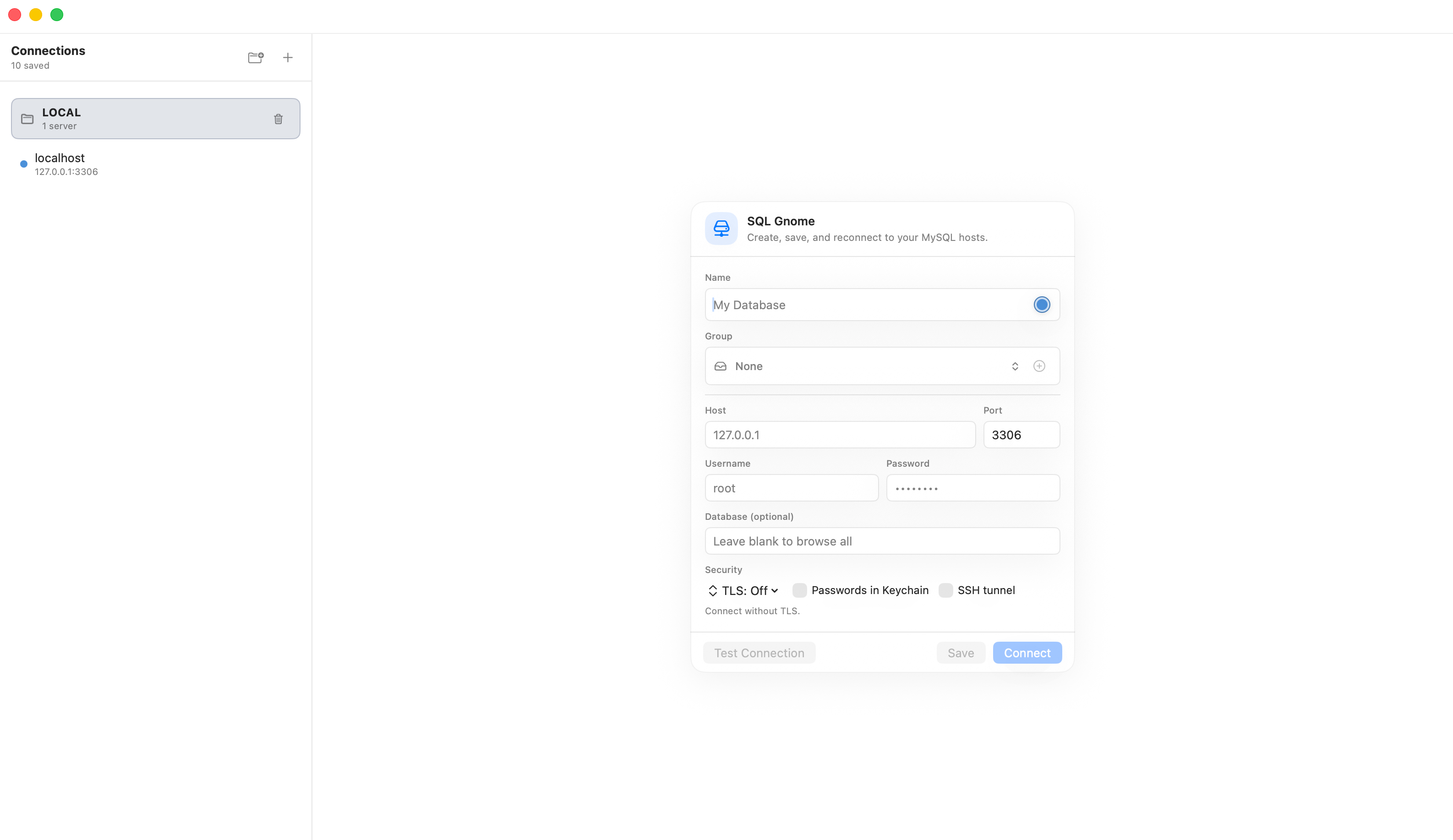
Saved Connections
Group, color-tag, and drag-reorder your servers. Favorite databases per connection. Passwords live in the macOS Keychain. SSH tunneling and TLS included.
📋
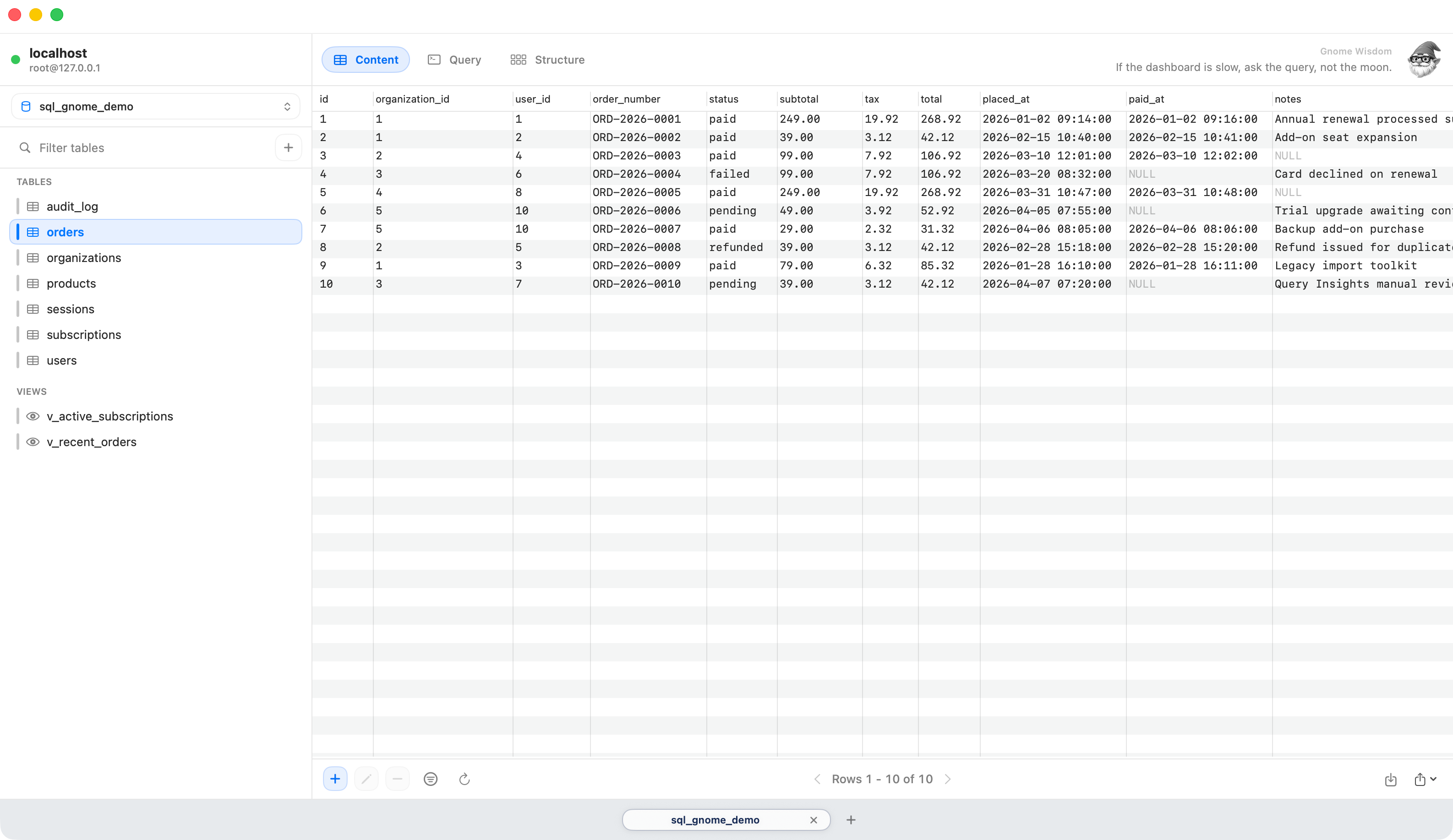
Table Content View
Browse with paging and sorting. Filter rows with a proper filter builder. Add, edit, delete rows. Copy as JSON or INSERT statements.
Query Workspace
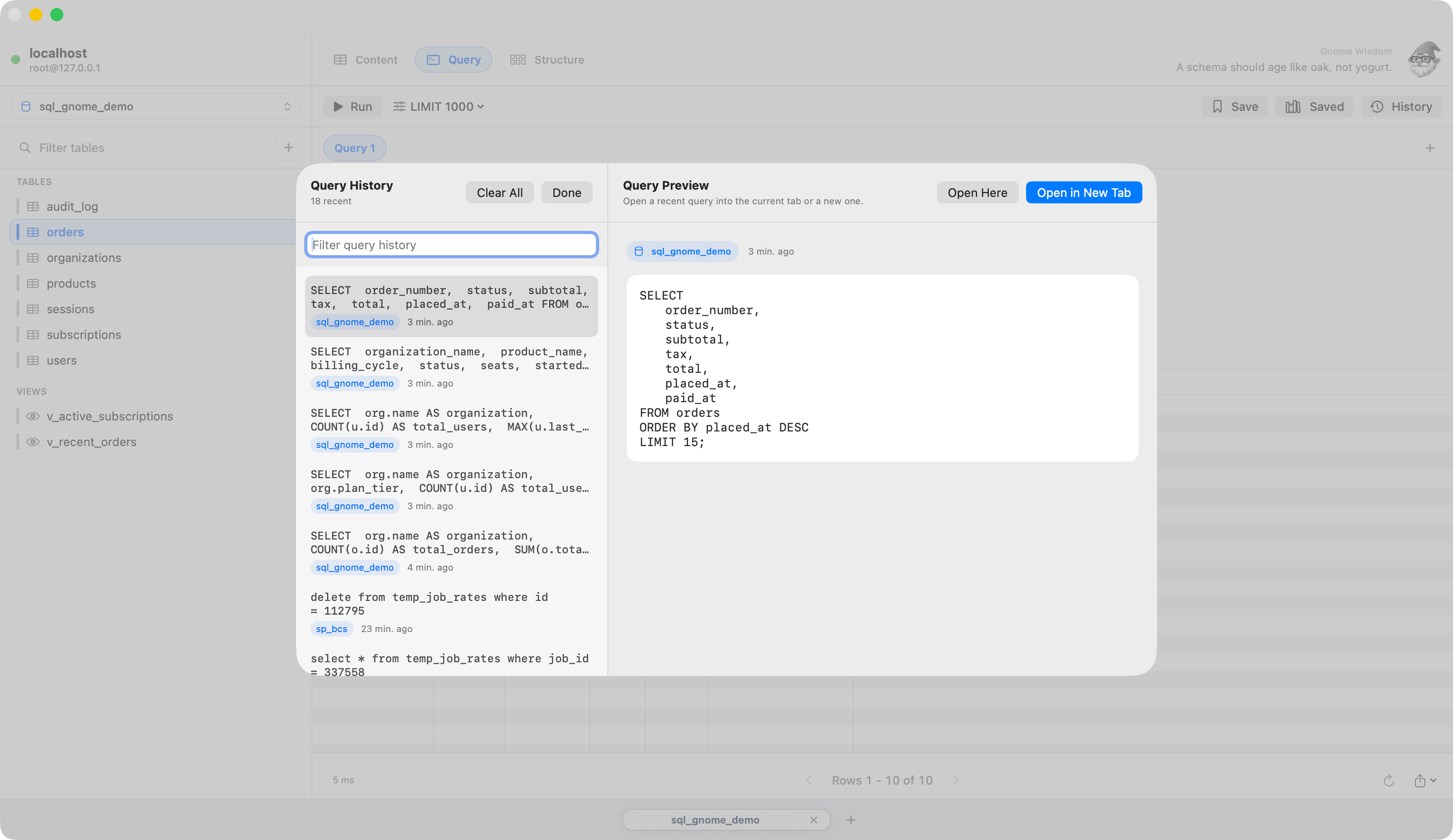
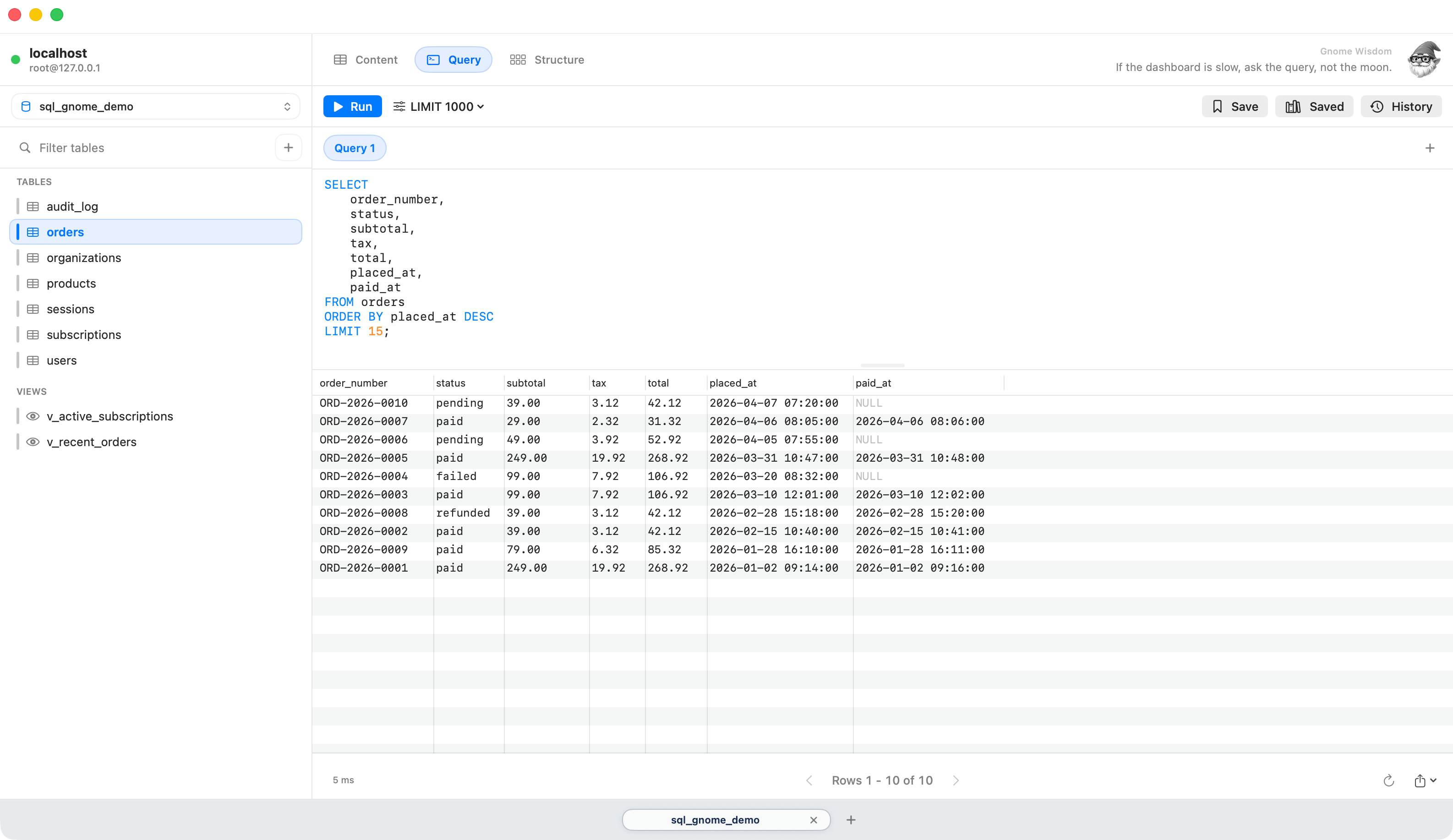
Multiple tabs, autocomplete, multi-statement scripts, query history, saved queries, and a safety LIMIT so you don't wreck production on a Monday.
🏗️
Structure Editor
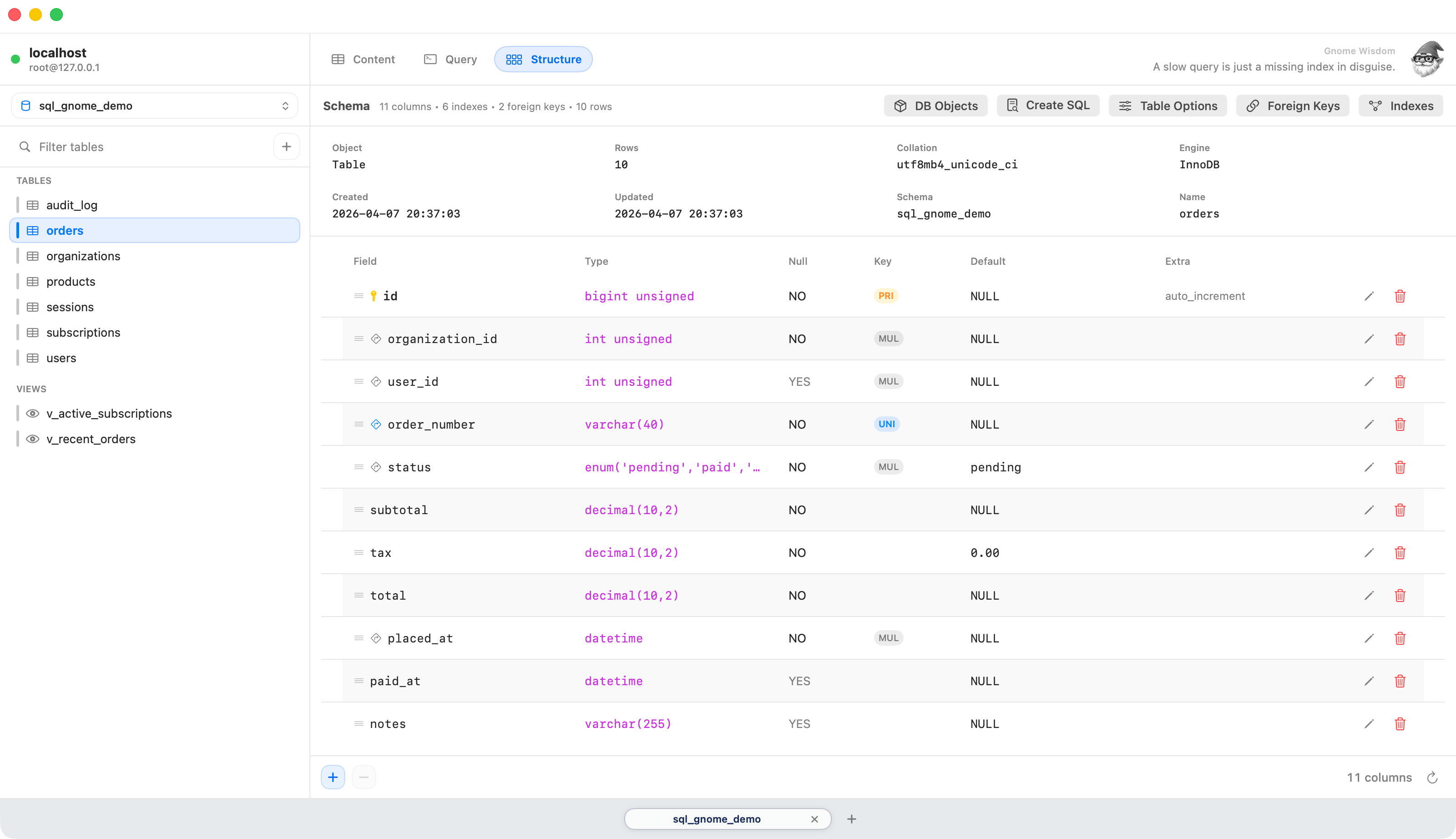
Inspect and edit columns, indexes, foreign keys, triggers, procedures, and more. View generated CREATE TABLE SQL in one click.
📦
Import & Export
CSV import with preview and duplicate handling. Export as CSV, JSON, or INSERT statements. SQL dumps for tables and databases.
🛡️
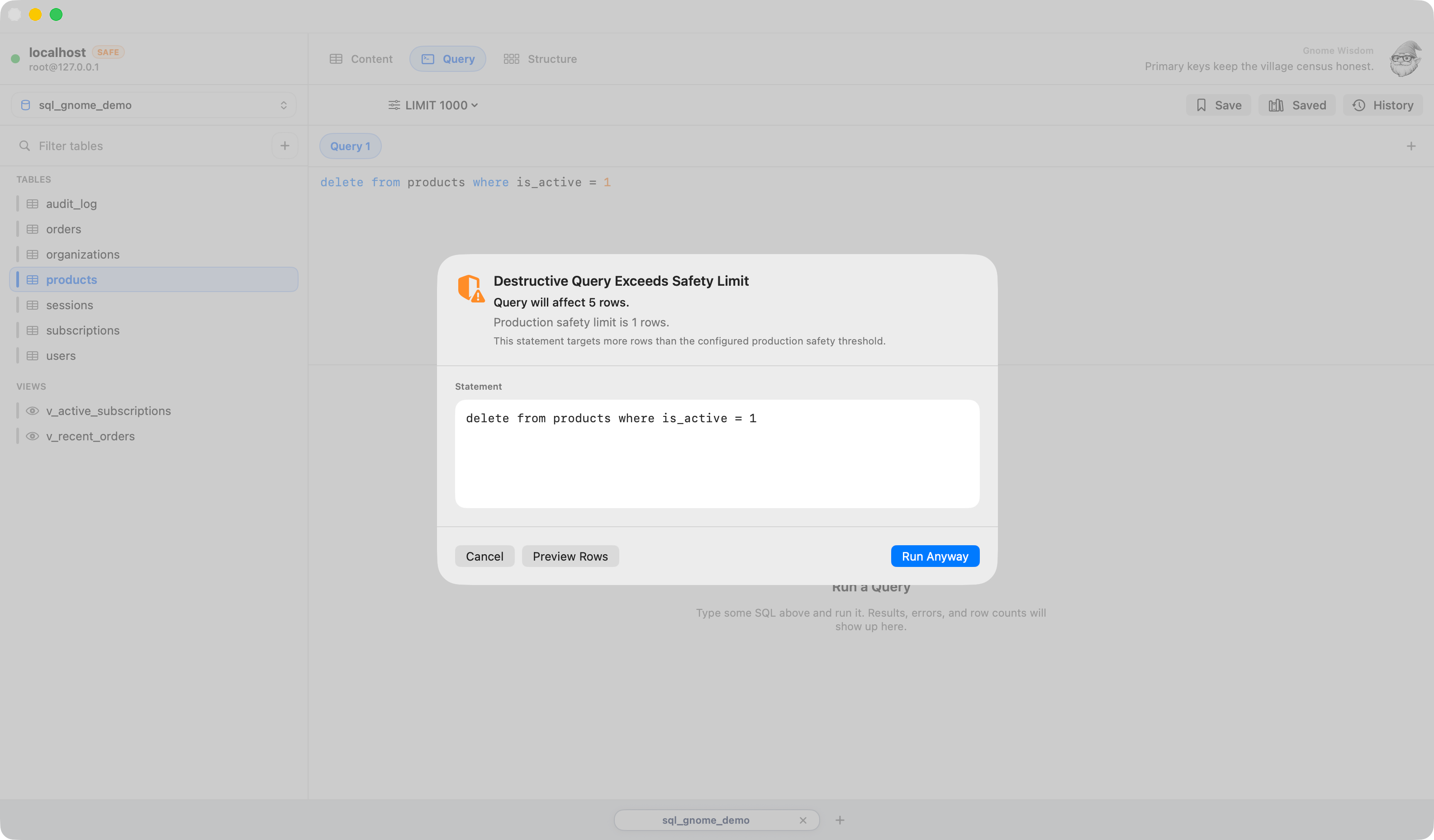
Production Safeguards
Per-connection safeguards preflight destructive queries with row-count estimates. Always warns on DROP, TRUNCATE, and UPDATE/DELETE without WHERE.

SQL Gnome does less — on purpose.
Speed matters more than features.

Not for
  • Enterprise multi-database teams
    If you're managing Postgres, Oracle, and MySQL across 12 environments, you need something heavier.
  • ORM-first workflows
    If you never write raw SQL and let your ORM handle everything, you won't get much out of this.
  • Cloud-integrated dashboards
    No Slack bots. No AWS Console integration. No AI copilot that rewrites your queries uninvited.
Built for
  • Developers who live in MySQL
    You write queries, browse data, and debug schema. You want a fast, native app that gets out of your way.
  • Mac users who hate Electron
    Native SwiftUI. Launches instantly, scrolls smoothly, respects your battery. Feels like it belongs on macOS.
  • Solo devs and small teams
    One-time purchase. No seats, no subscriptions, no pricing tiers to argue about. Yours forever.

Every view, polished

Query Editor
Table Data View
Connection Manager
Safety Guardrails
Query History
Table Structure

Run Queries Without Friction

Write and run SQL with immediate feedback—results appear instantly so you can iterate without slowing down.

See Your Data Clearly

Browse your data in a clean, spreadsheet-style view that's fast, readable, and built for real work.

Connect in Seconds

Manage local and remote databases from one place with a simple, organized connection experience.

Don't Break Production

Built-in safeguards warn you before destructive queries—so you don't accidentally take down real data.

Pick Up Where You Left Off

Quickly search, preview, and reopen recent queries—your workflow, remembered.

Understand Your Schema Fast

View columns, types, keys, and defaults in one place—no digging, no guesswork.

How We Stack Up

SQL Gnome vs the rest

Shopping around? We put together honest, side-by-side breakdowns against the most popular alternatives.

vs
TablePlus
Both native macOS. But TablePlus costs $414 over 3 years on 2 Macs. SQL Gnome costs $79. Once.
Pricing · Features
vs
Sequel Ace
Sequel Ace is free and genuinely good. Here's an honest look at what $79 actually gets you on top of that.
Free vs Paid
vs
DBeaver
DBeaver connects to everything. SQL Gnome connects to MySQL — natively, on macOS, without the JVM overhead.
Native vs Java
vs
DataGrip
DataGrip is a full SQL IDE at $109/yr. SQL Gnome is a focused MySQL client at $79 forever. Different tools, different jobs.
Client vs IDE
✓ 14-day free trial
🎉 Launch offer
Launch special — 25% off

Use this code at checkout. No expiry — just 100 spots.

GNORMAN25
← click to copy

⚡ Limited to 100 licenses — first come, first served

$79
$59

One-time purchase · macOS 14+ · Free updates

Download SQL Gnome

macOS 14 Sonoma or later required

Gnorman the SQL Gnome

Words from
the gnome

Gnorman has opinions about your schema. Most of them are correct.

NULL is not false. It is chaos with paperwork.

Transactions are cheaper than apologies.

Backups are theory until you restore one.

GNORMAN25 copied!